- Index:
- 12
- Sector:
- Design Tools
- Type:
- Bespoke software
- Year:
- 2024
Font Creator for Adobe Illustrator
Our own tool: an Adobe Illustrator extension that turns hand-drawn letterforms into finished OpenType fonts. Making a custom font used to mean exporting paths from Illustrator into separate font software and fixing metrics and path directions by hand. We built a panel inside Illustrator so a designer can draw, assign characters, preview and export without leaving the app.A native Illustrator extension that eliminates the multi-tool font creation workflow, draw letterforms, assign glyphs, and export production-ready OpenType fonts without leaving the app.
Read it your way. You are reading the plain-English version. Flip to Technical for how it is built.You are reading the technical version: architecture, integrations and engineering detail.
Specimen 09
Font Creator for Adobe Illustrator
Sample glyph g, U+0067
1000 units per em
Draw it in Illustrator.Type with it anywhere.
A font is a set of drawings with a lot of maths attached. Designers were happy drawing the letters; the maths sent them through a chain of other programs. We built Font Creator so the drawing and the font happen in the same place: draw your letters in Illustrator, give each one its key, look at the result, and save a real font your computer can install.
A CEP extension for Illustrator that reads selected artwork through ExtendScript, transforms it from artboard coordinates into a 1000-unit em, corrects contour winding, derives horizontal metrics, and compiles a standards-compliant OpenType file with opentype.js. Draw, assign, preview, export, without leaving the host application.
- Unicode
- U+0067
- Advance
- 620
- Side bearings
- 50 / 50
- Contours
- 2
- Anchors
- 16
- Handles
- 22
Sample glyph drawn for this page. Scroll to watch it built the way a font editor sees it: outline, then anchors and handles, then fill.
- a.Illustrator versions supported
- 7
- b.Characters per typeface
- 100+
- c.Delivered in
- 4 weeks
- d.External tools required
- 0
A font used to be a relay race.
Making your own font meant passing the letters from program to program. Draw them in Illustrator, export each shape one at a time, open them in specialist font software, then fix the sizes, the spacing and the shapes that came out inside out, by hand, letter by letter, before the font could finally be built. Slow, easy to get wrong, and off-putting for the lettering artists and brand designers who most wanted their own type. There was nothing affordable that worked the way designers already work.
Creating custom fonts has always meant working across a patchwork of tools. A designer draws letterforms in Illustrator, exports them path by path, imports into specialised font editing software, manually adjusts metrics and coordinate systems, corrects path winding directions, and finally compiles the font file. The process was slow, error-prone, and deeply frustrating, especially for lettering artists and brand designers who needed custom typefaces efficiently. The market lacked an affordable, tightly integrated solution that respected the designer's existing workflow.
Before: six steps, two programs, a lot done by hand
- 01Illustrator
Draw the letters in Illustrator
Draw letterforms in Illustrator
- 02Illustrator
Export each shape, one at a time
Export artwork path by path
- 03Font software
Open them in separate font software
Import into a dedicated font editor
- 04By hand
Fix the sizes and positions by hand
Re-set metrics and the coordinate system manually
- 05By hand
Turn inside-out shapes the right way round
Correct path winding direction per glyph
- 06Font software
Build the font file
Compile the font binary
Repeat for each of 100+ characters
After: one panel, inside Illustrator
- Draw01
- Assign02
- Preview03
- Export04
All four steps inside Illustrator. No other software to buy or learn.
One CEP panel in the host app. Zero external tools, one runtime dependency.
Draw a letter, get a font.
This is the whole idea in one box. Pick a letter, draw it, and type with it straight away. In Illustrator a designer draws with the pen they already know and assigns the artwork to a key; here you can use a finger, a mouse, or the ready-made strokes.
A cut-down, in-browser model of the panel pipeline. Pointer samples are simplified with Ramer-Douglas-Peucker and fitted with cubic Beziers, the glyph is given side bearings from its bounds, mapped into a character map and set on advance widths. The extension takes the same anchors and handles from the Illustrator DOM via ExtendScript and hands them to opentype.js.
Drawing A
0 strokes / 0 anchors / 0 handles
Draw your A here
Your strokes turn into anchors (squares) and handles (dots) as you lift your finger.
Character set
0 drawn by you
Pick a slot, then draw. A blue square marks the letters you have drawn. The extension fills 100+ slots by assigning artwork.
Ready-made strokes
Sample Line, 90 weight, draw a letter to see it here
Sample typeface and strokes drawn for this page. Nothing you draw leaves your browser; the real extension works on Illustrator artwork. Small letters use the capitals, as many display fonts do. A character this sample font does not have shows as an empty box.The cmap maps lower case to the capital glyphs, as in a caps-only display face; unmapped characters fall back to .notdef. Advance of A at this weight: 640 units.
Every part of a letter has a name.
Font makers have a word for every part of a letter, and a font file needs each one spelled out. Tap a part to see what it is and what the extension works out for you, so you never have to.
The outline vocabulary as the extension handles it: on-curve anchors and off-curve handles read from Illustrator PathPoints, contours and their direction, and the horizontal metrics written into the font. Values are live from the sample glyph below.
Sample g, 1000 units per em. Hover or tap a number, or pick a term.
Anchor point
The dots the outline passes through. You place them with the pen tool in Illustrator; the extension reads every one exactly where you put it.
On-curve points. Read from PathPoint.anchor via ExtendScript, transformed into font units, and emitted as moveTo / lineTo / curveTo end points in the glyph path.
16 anchors on 2 contours
Handle
The little levers that bend the line between two dots. Long handles make full, round curves; short ones make tight turns.
Off-curve control points: PathPoint.leftDirection and rightDirection. Illustrator and CFF outlines are both cubic, so handles carry across one for one with no curve conversion.
22 handles, two per curve
Contour
One closed outline. A g is two of them: the outside shape, and the hole in the middle.
A closed subpath. Compound paths are split into contours, and each contour is classified as outer or inner by nesting depth before its direction is set.
Outer runs anticlockwise, counter clockwise
Counter
The enclosed space inside a letter. If it is drawn the wrong way round, it fills in solid when you type. The extension turns it round for you.
An inner contour. Under the non-zero fill rule it must wind opposite to its parent: outer anticlockwise, counter clockwise, measured in y-up font space.
Circle, radius 175 units
Bowl
The round part of the letter that wraps around the counter.
Here a circle of radius 260 units drawn as cubic arcs, with handles at 4/3 tan(theta/4) of the radius, the usual circle approximation.
Circle, radius 260 units
Stem
The main upright stroke. Its thickness sets the weight of the whole typeface.
A straight vertical run of 90 units between two corner anchors.
90 units wide
Terminal
Where a stroke simply ends, here at the tip of the tail.
The cut between the inner and outer arcs of the descender hook.
Cut at 155 degrees round the hook
Overshoot
Round letters go a hair over the lines so they look the same size as flat ones. Your eye expects it.
Curves exceed the x-height and descender by 10 units each. Metrics come from the artwork, so the overshoot the designer drew survives into the font.
10 units past x-height and descender
Side bearings
The breathing space on either side of a letter, so words do not crash together. Worked out from your drawing.
Left side bearing is the distance from the origin to xMin; right side bearing is the advance width minus xMax. Both derived from the glyph bounds.
Left 50 units, right 50 units
Advance width
How far along the line moves before the next letter starts.
The horizontal advance written to the font for each glyph. The live preview sets text on exactly these widths.
620 units
Flipping the world.
Illustrator and fonts measure in opposite directions. On an artboard, measurements start at the top and count down, in points. A font counts up from the line the letters sit on, on a grid of 1,000 units. Give a font the drawing’s numbers as they are and your letter comes out upside down and the wrong size. Drag the slider to watch the extension turn your drawing into the maths a font needs.
Artboard space is y-down, in points, with its origin at the artboard corner. Font space is y-up, in units per em (UPM 1000), with its origin on the baseline at the glyph origin. The transform is one affine matrix: translate to the baseline origin, reflect in y, scale by UPM over the em size. The reflection reverses every contour’s orientation, so winding is recomputed afterwards.
Sample g, drawn 250pt tall on a 600 x 500pt artboard. One anchor, the top of the counter, is tracked in the readout.
Stage 0 / Artboard
The numbers Illustrator gives us. Plotted the way a font reads them, the g is small and upside down.
Raw PathPoint coordinates in points, y-down, plotted on y-up axes. Origin at the artboard corner.
- In Illustrator
- x 225.5
y 223.8 - pt, y down
- Right now
- x 225.5
y 223.8 - pt
- In the font
- x 302.0
y 425.0 - units, y up
Skip the direction fix and the hole in the g fills in solid. The extension checks every outline, every time.
Both contours wound clockwise after the reflection: under non-zero the counter's winding number is -2, so it fills. Reversing the outer gives +1 and 0.
Seven versions, one panel.
Designers do not all update at once, so the panel has to behave the same in every Illustrator from CC 2019 to 2025. It sits inside Illustrator like one of its own panels, follows its interface colours, and talks to it directly, so there is never another program to open.
A CEP extension: an HTML, CSS and JavaScript panel hosted by Illustrator. CSInterface handles the panel lifecycle, theme sync and host events; evalScript calls into ExtendScript, which reads the selected artwork’s paths from the Illustrator DOM. Glyph construction and OpenType compilation run in the panel with opentype.js, the only dependency. Tested across seven major releases.
How it talks to Illustrator
Step 1 of 5 / Your artworkYour artwork
You select the letter you drew on the artboard. Nothing to export.
The selection is read in the host. Each PathPoint carries anchor, leftDirection and rightDirection, in artboard points.
selection[0]            // CompoundPathItem, 2 paths
pathPoints[0].anchor          [292.50, 345.00]
pathPoints[1].anchor          [244.51, 393.81]
pathPoints[1].leftDirection   [272.55, 388.74]
pathPoints[1].rightDirection  [216.47, 398.89]
Illustrative, simplified; numbers are the sample g’s.
Step 2 of 5 / Asks IllustratorExtendScript
The panel asks Illustrator for the shape, point by point.
CSInterface.evalScript runs an ExtendScript function in the host, which serialises the selected paths and returns them as a string to the panel.
- 00292.5, 345.0
- 01244.5, 393.8
- 02175.7, 366.1
- 03196.1, 357.2
- 04239.6, 373.1
- 05270.0, 345.0
- ...
csInterface.evalScript('readSelection()', (result) => {
  const contours = JSON.parse(result);
  // [{ points: [[x, y, inX, inY, outX, outY], ...] }, ...]
});
Illustrative, simplified; numbers are the sample g’s.
Step 3 of 5 / Tidies upTransform
The panel flips it, sizes it and turns any backwards outlines round.
Coordinate transform into font units, winding correction by nesting depth, metrics derived from bounds. Milliseconds per glyph.
M = [ 4 0 0 -4 -600 1320 ]   // pt to units
[292.50, 345.00] pt  ->  [570.00, -60.00] units
outer:   clockwise      -> reversed
counter: clockwise      -> kept
advance 620, lsb 50, rsb 50
Illustrative, simplified; numbers are the sample g’s.
Step 4 of 5 / Builds the fontopentype.js
Every letter you have assigned is built into one font, with a live preview.
Each glyph becomes an opentype.Glyph with its path and advance width; the font is assembled with the cmap, OS/2 and name tables populated.
const g = new opentype.Glyph({
  name: 'g', unicode: 0x67, advanceWidth: 620, path,
});
const font = new opentype.Font({
  familyName: 'Sample', styleName: 'Regular',
  unitsPerEm: 1000, ascender: 750, descender: -250,
  glyphs: [notdef, g, ...rest],
});
Illustrative, simplified; numbers are the sample g’s.
Step 5 of 5 / Saves the fileExport
One click saves a real font file. Install it like any other.
Compiled to an OpenType binary and written to disk in under a second for a full 100+ glyph set. Verified on Windows, macOS, major browsers and design software.
const otf = font.toArrayBuffer();
// cmap, OS/2, name, head, hhea, hmtx, maxp, post, CFF
// 100+ glyphs compiled and written in under a second
-> Sample-Regular.otf
Illustrative, simplified; numbers are the sample g’s.
Interface brightness
Glyphs, drag artwork to a slot
- L
- M
- N
- O
- P
Live preview
An impression of the panel for illustration, not a screenshot. Pick a brightness and the panel follows, as it follows Illustrator.
- 01Designers finish a whole font without ever leaving Illustrator.Eliminated the multi-tool workflow entirely, designers produce finished fonts without leaving Illustrator
- 02The fiddly fixes that used to be done by hand on every letter now happen on their own.Automated coordinate transforms, path corrections, and metric calculations that previously required manual intervention per glyph
- 03Lettering artists can make a working font without learning font engineering.Lowered the barrier to custom type design, accessible to lettering artists without specialised typographic engineering knowledge
- 04The fonts it saves install and display properly on Windows and Mac, in browsers and in design apps.Exported OpenType files meet industry standards and render correctly across operating systems, browsers, and design applications
- 05It works in seven versions of Illustrator, from CC 2019 to 2025.Seven major Illustrator versions supported, CC 2019 through 2025, ensuring long-term reliability
Need software built for your business?
We build software like this for clients too. Tell us what your business needs to run on, and we will come back with a fixed written quote after a short discovery call.
Bespoke software from £10,000
Prices, timelines and what is included: Bespoke software development in Glasgow.
Studio: Unit 204b, 36-38 Washington Street, Glasgow G3 8AZ. Phone 0141 345 5841.
The architecture, integrations, performance numbers and code standards behind this project live in the technical version, for whoever looks after your IT.
A native Illustrator extension that eliminates the multi-tool font creation workflow, draw letterforms, assign glyphs, and export production-ready OpenType fonts without leaving the app.
- Extension Framework
- Adobe CEP (Common Extensibility Platform) with HTML/CSS/JS panel
- Host Communication
- ExtendScript bridge for reading Illustrator DOM and selected artwork paths
- Font Engine
- opentype.js for glyph construction and OpenType file compilation
- Compatibility
- CEP version targeting across Illustrator CC 2019 through CC 2025 (7 releases)
- Illustrator DOM
- Direct path data extraction from selected artwork via ExtendScript
- opentype.js
- Standards-compliant OpenType font table generation and binary compilation
- CSInterface
- Adobe CSInterface.js for panel lifecycle, theme sync, and host app events
- Path Processing
- Coordinate transform, winding correction, and metric calculation in milliseconds per glyph
- Font Compilation
- Full 100+ character font compiled and written to disk in under one second
- Live Preview
- Real-time typeface rendering in-panel as glyphs are assigned and modified
- →Zero external dependencies beyond opentype.js, minimal attack surface
- →Automated winding direction correction eliminates manual path debugging
- →Defensive path validation rejects malformed or empty artwork before processing
- →Cross-version tested across 7 major Illustrator releases
- CEP
- ExtendScript
- opentype.js
- HTML
- CSS
- JavaScript
Questions about Font Creator for Adobe Illustrator
What is Font Creator for Adobe Illustrator?
Our own tool: an Adobe Illustrator extension that turns hand-drawn letterforms into finished OpenType fonts. Making a custom font used to mean exporting paths from Illustrator into separate font software and fixing metrics and path directions by hand. We built a panel inside Illustrator so a designer can draw, assign characters, preview and export without leaving the app.
How is it built, in plain terms?
An Adobe Illustrator panel built with Adobe's extension framework and an open-source font library, so it works across seven Illustrator versions.
What does it do for a business?
Finished fonts produced without leaving Illustrator, across seven versions from CC 2019 to 2025.
How long did the project take?
4 weeks.
How much does bespoke software like this cost?
Bespoke software projects start from £10,000. We reply with a fixed written quote after a short discovery call, so you know the price before any work starts.
Where is Glasgow GFX based?
Our studio is at Unit 204b, 36-38 Washington Street, Glasgow G3 8AZ, and we work with businesses across the UK. Phone 0141 345 5841.
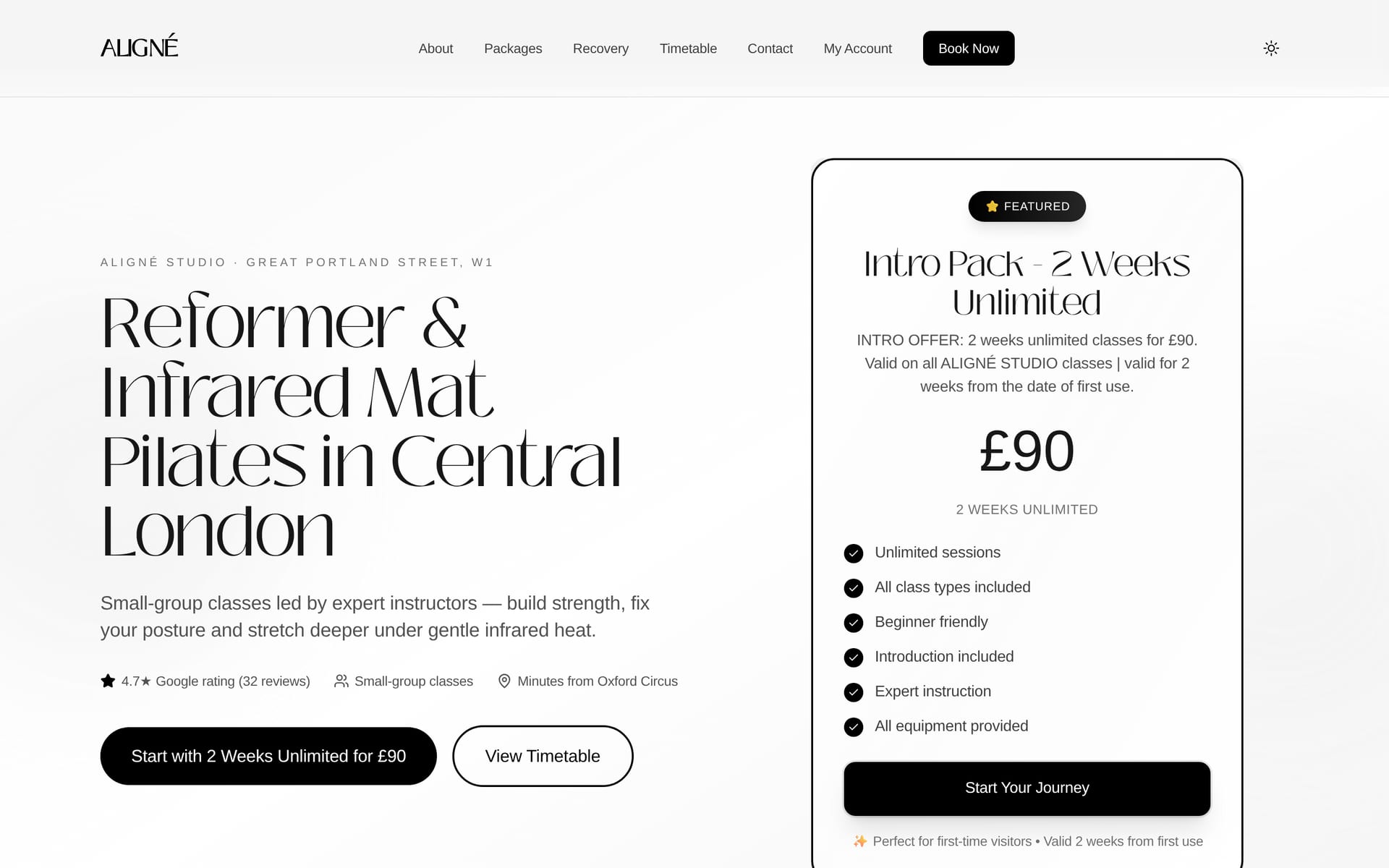
Aligné Studio
From brand identity to native mobile apps, a full-service launch for London's first infrared light therapy Pilates studio.
Have a project?
Websites, web apps and bespoke software for businesses across the UK, built in Glasgow. Tell us what you need and we will come back with a fixed written quote after a discovery call.
Glasgow GFX Studio
- Visit
- The Pentagon Business Centre
Unit 204b, 36-38 Washington Street
Glasgow G3 8AZ - Call
- 0141 345 5841
- Hours
- Mon to Fri 9:00 to 18:00
Sat 10:00 to 18:00
Sun closed - Clients
- Web and software clients across the UK, from the Washington Street studio in Glasgow.