- Index:
- 08
- Sector:
- Arts & Events
- Type:
- Web app
- Year:
- 2026
The Woom Room
The Woom Room is an artist-run shop and events collective with a stall at The Barras in Glasgow, selling work by local artists and running club nights, workshops and exhibitions. Its event tickets were sold through a third-party platform, so the checkout, the buyers and the door all sat outside its own website. We rebuilt the website and built a ticketing system into it, so The Woom Room sells its own tickets, emails them as mobile tickets and scans them at the door on staff phones.
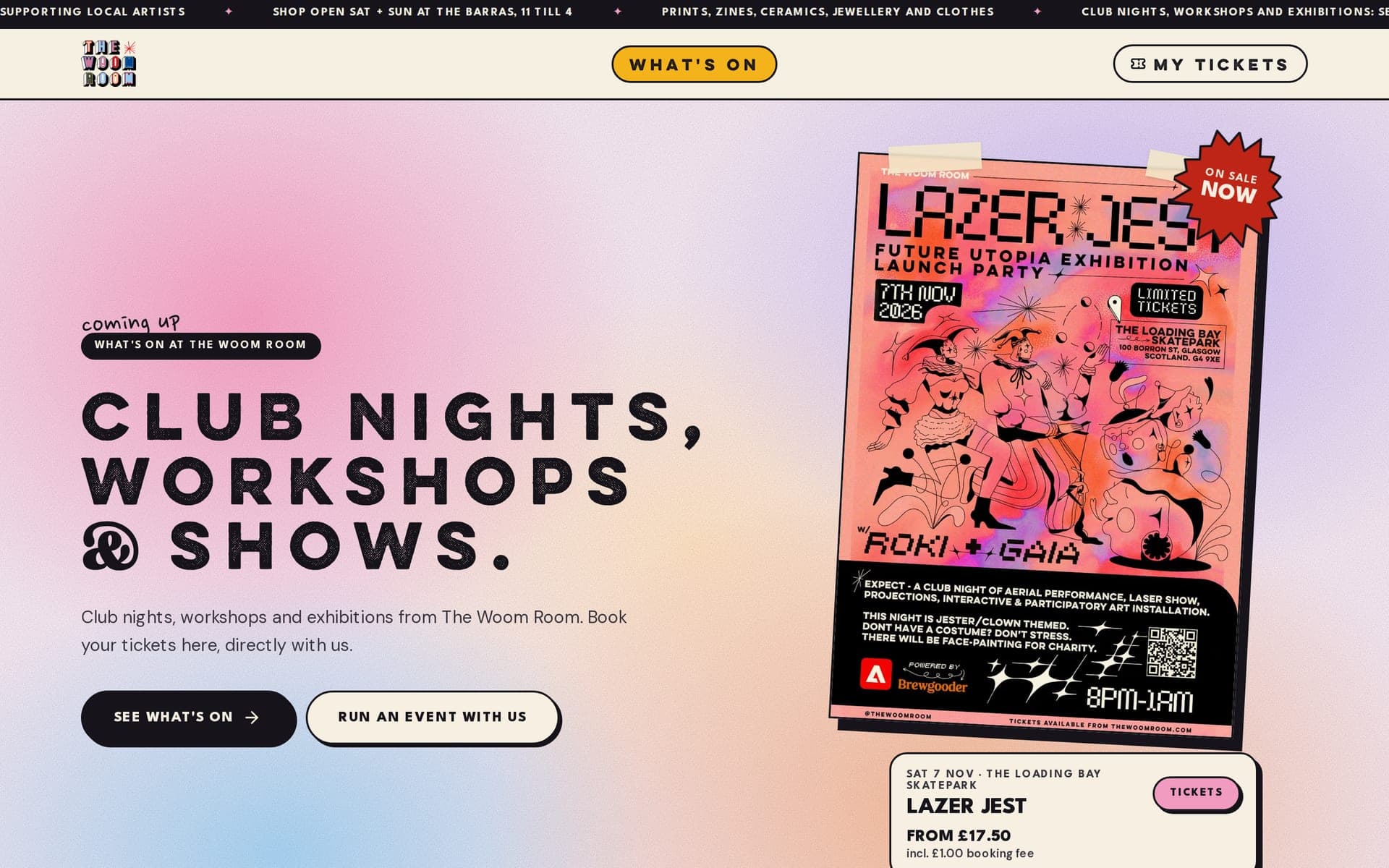
The Woom Room sells prints, zines, ceramics, jewellery and clothes by local artists from its stall at The Barras, and runs club nights, workshops and exhibitions. Its event tickets were sold through a third-party ticketing platform, so the checkout, the buyers and the door all sat outside its own website. The collective wanted to sell tickets itself, as the seller, with the booking fee on top of the price, tickets that work on a phone, and a door it could run on its own staff phones in venues where the signal is not guaranteed. The website itself needed rebuilding around events as well as the shop.
We rebuilt thewoomroom.com and built a ticketing system into it. Events are listed on a What's On page, and each one has its own page with tiered prices, the booking fee shown on every price, extras such as face painting, promo codes and the line-up of artists and performers. Checkout runs through Stripe on The Woom Room's own account, so The Woom Room is the seller. Buyers get a mobile ticket by email, can see every ticket in their name through a magic link with no password, and can pass a ticket on to a friend from the ticket page. At the door, staff pair their own phones with a six-digit code and scan tickets with the camera; the scanner installs like an app and keeps working if the signal drops. Behind it sit organiser tools for creating events, guest lists, refunds, door devices, and sales and settlement, plus artist links that show which act brought in which views and sales, unlisted events for things like a private view, and face-value resale the organiser can switch on per event. The rebuilt online shop sits behind a coming-soon page until the client is ready to reopen it.
What's On & Event Pages
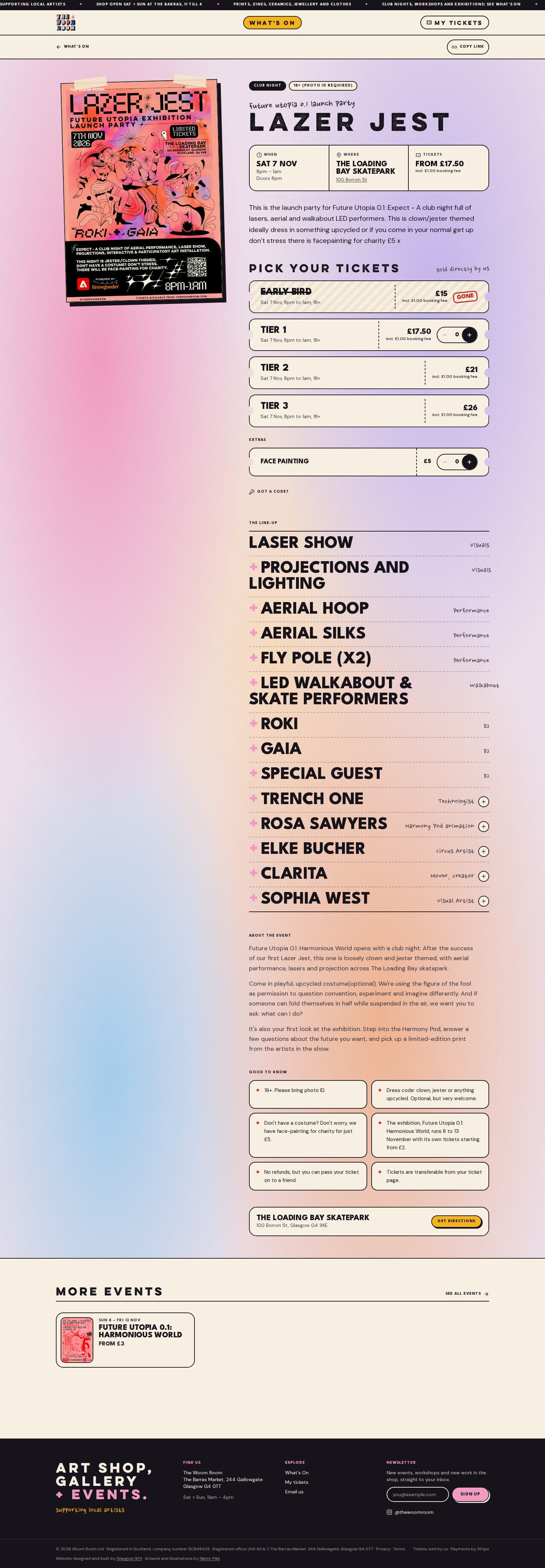
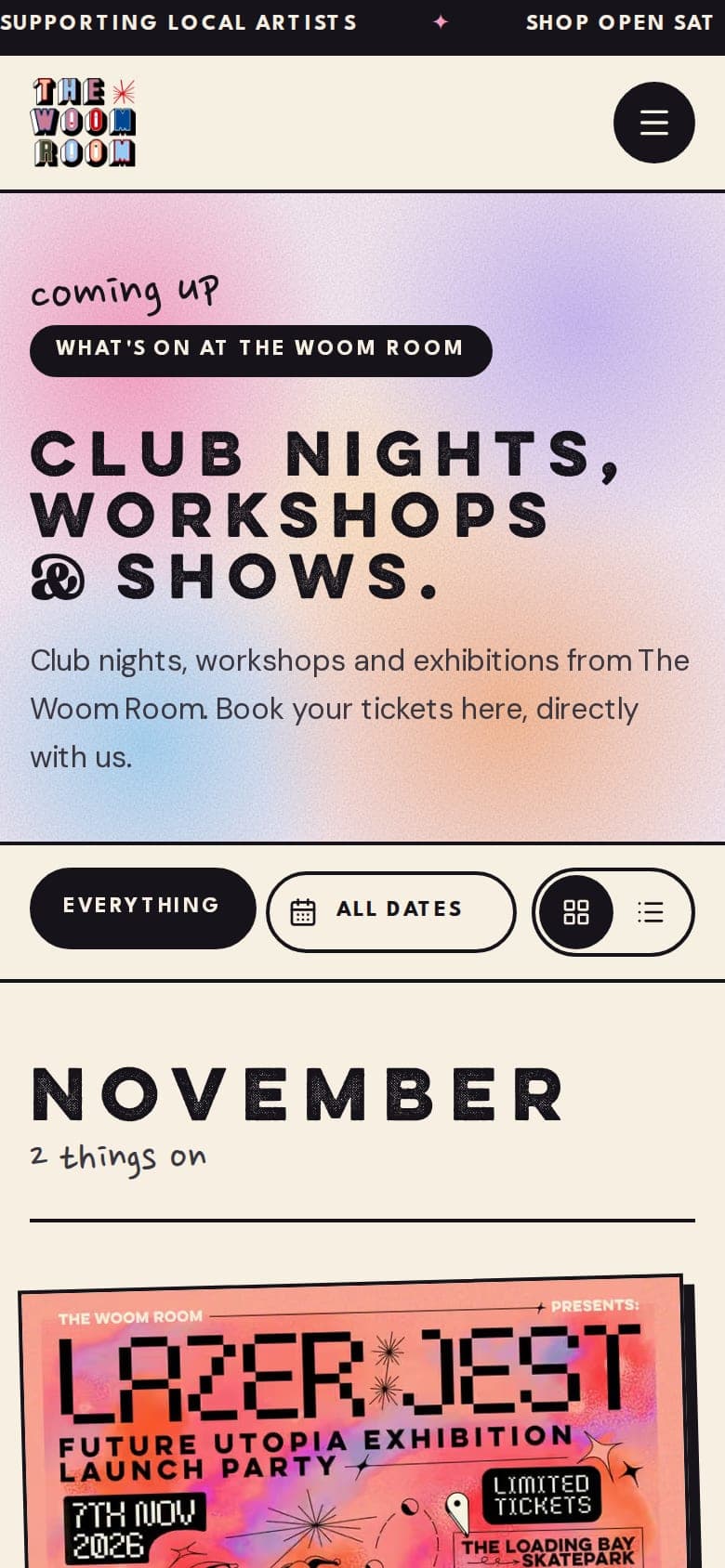
Events lead the new site. The What's On page lists club nights, workshops and exhibitions by month, and every event has its own page with the poster, the date and venue, the line-up and the tickets. The first real event on the system is Future Utopia 0.1: a launch party on Saturday 7 November 2026 and an exhibition from 8 to 13 November.
- →What's On page with filters for club nights and exhibitions, and by month
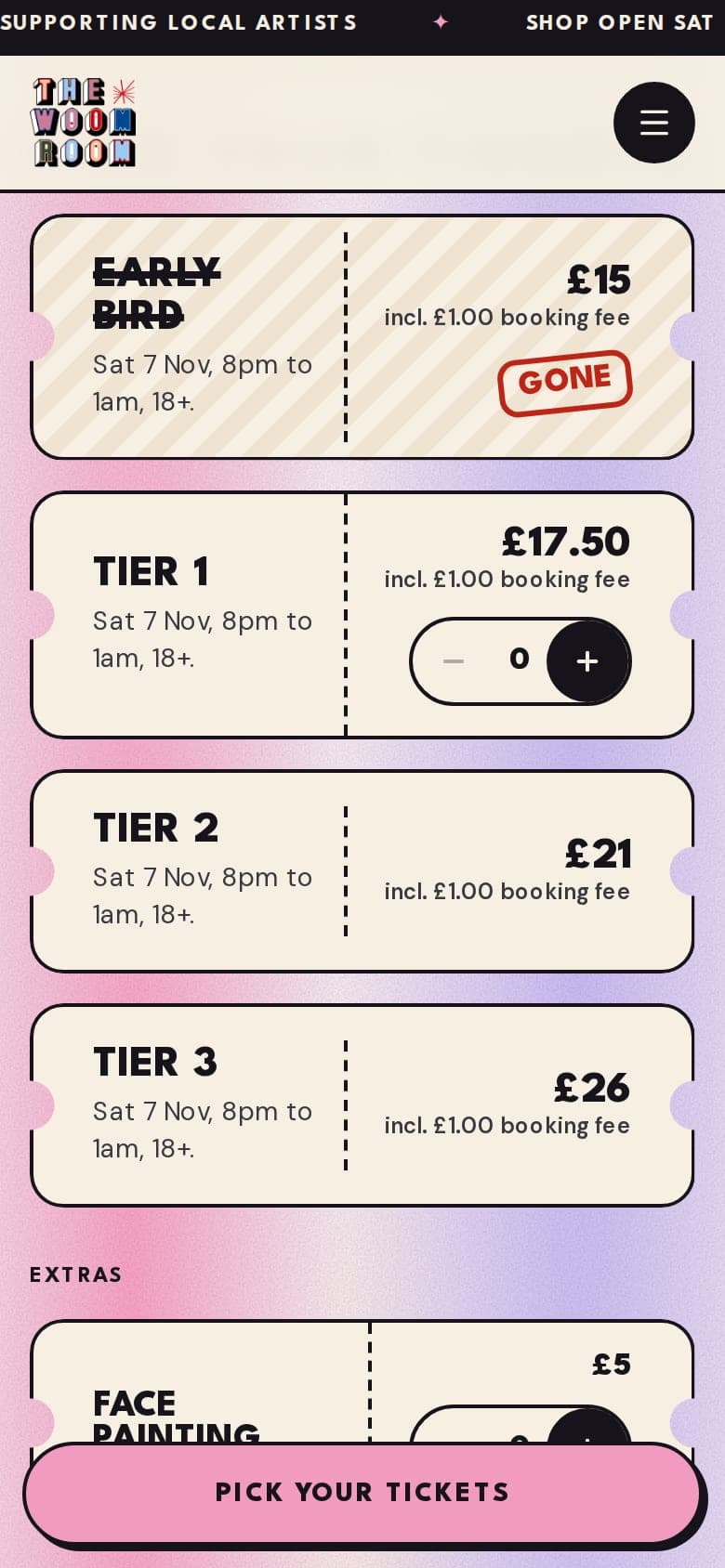
- →Event pages with tiered prices, sold-out tiers marked as gone, and extras such as face painting
- →The booking fee shown on every price, so there is no surprise at checkout
- →Promo codes, and a line-up where each act opens up to show their bio and links
Checkout & Mobile Tickets
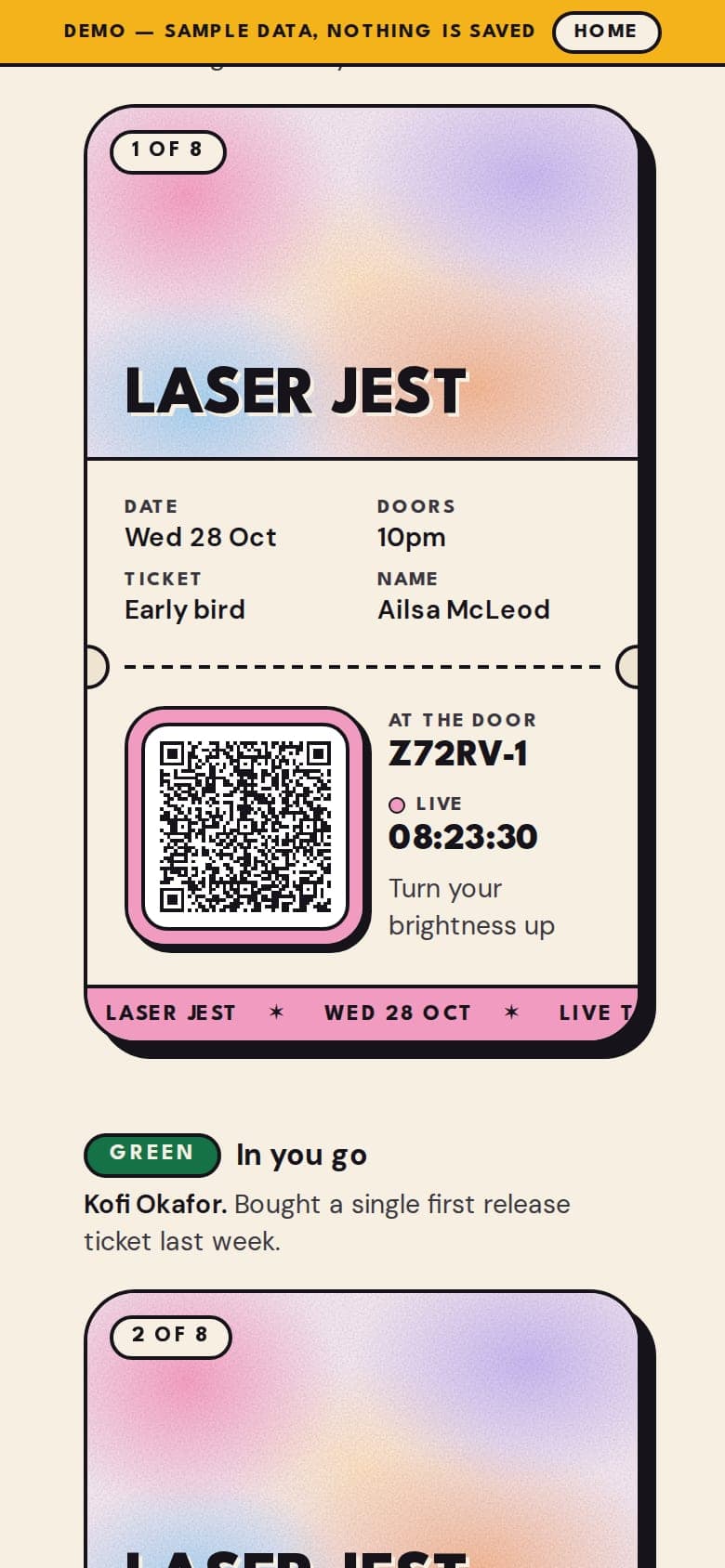
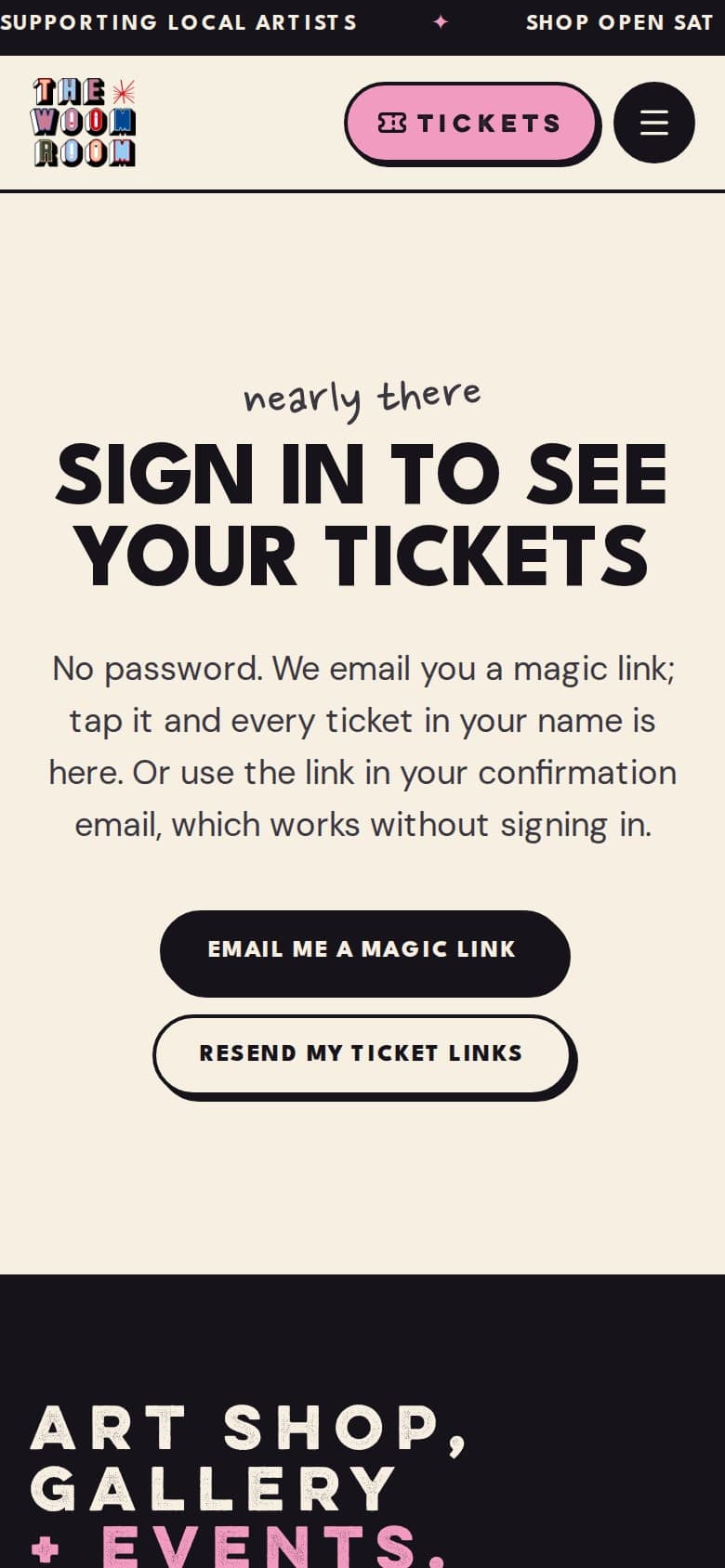
Checkout runs through Stripe on The Woom Room's own account, with no account to create. Each ticket arrives by email and opens as a mobile ticket with a QR code for the door, and the buyer can find every ticket in their name later through a magic link, with no password.
- →Stripe checkout on the client's own account, so The Woom Room is the seller
- →Mobile tickets by email, each with its own QR code
- →A My Tickets page that signs in by magic link, with no password
- →Tickets can be passed on to a friend, and face-value resale can be switched on per event
The Door
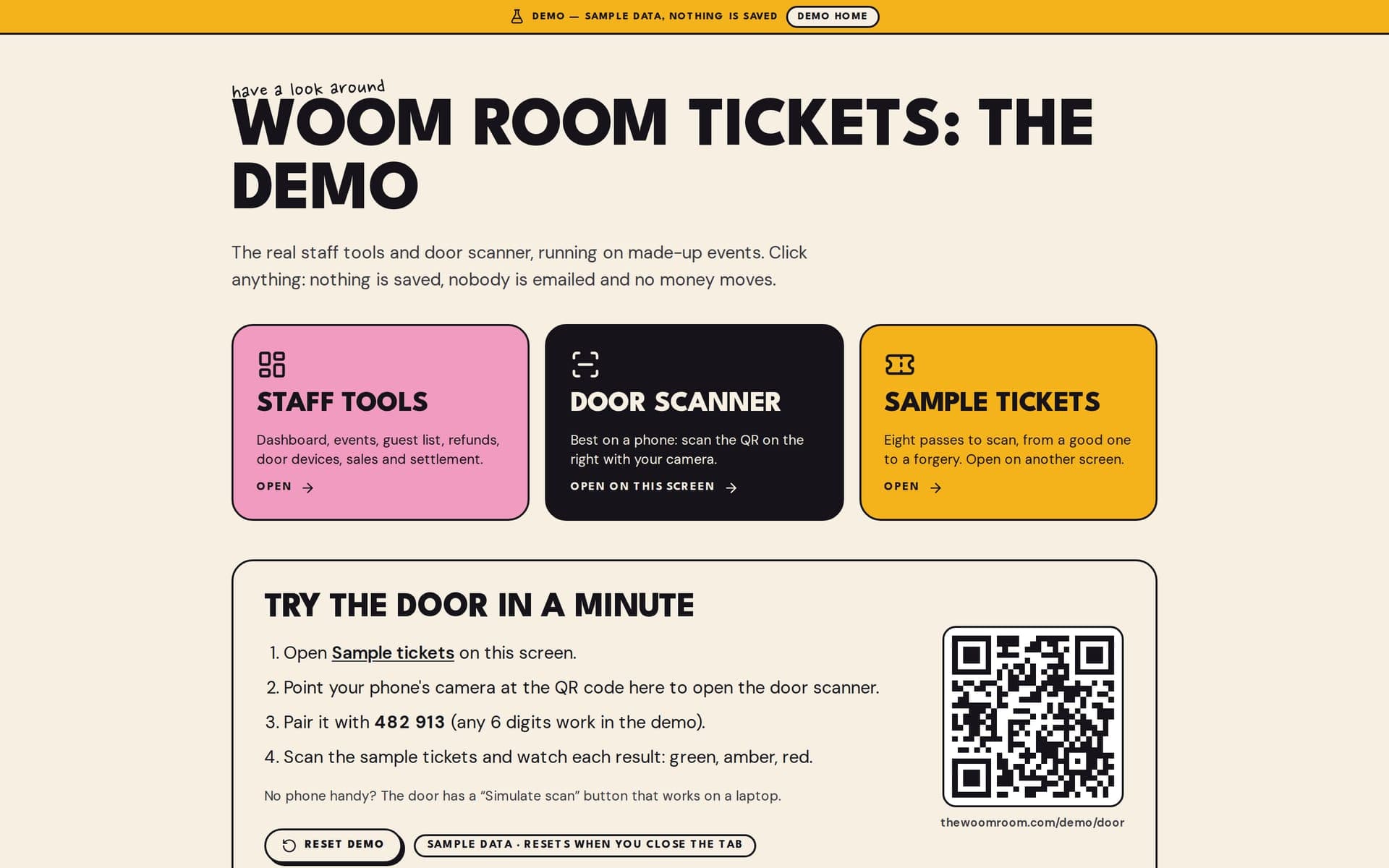
Staff run the door on their own phones. A phone is paired for the night with a six-digit code from the organiser, then scans tickets with the camera and shows a clear green, amber or red result. The scanner installs like an app and keeps working when the signal drops, which matters in a busy venue. A public demo lets anyone try it on sample tickets.
- →Door scanner on staff phones, paired with a six-digit code
- →Green, amber and red results, with a live count of who is in and who is still to come
- →Installs like an app and keeps working without signal
- →A public demo of the door and staff tools on sample data, with nothing saved

Organiser Tools
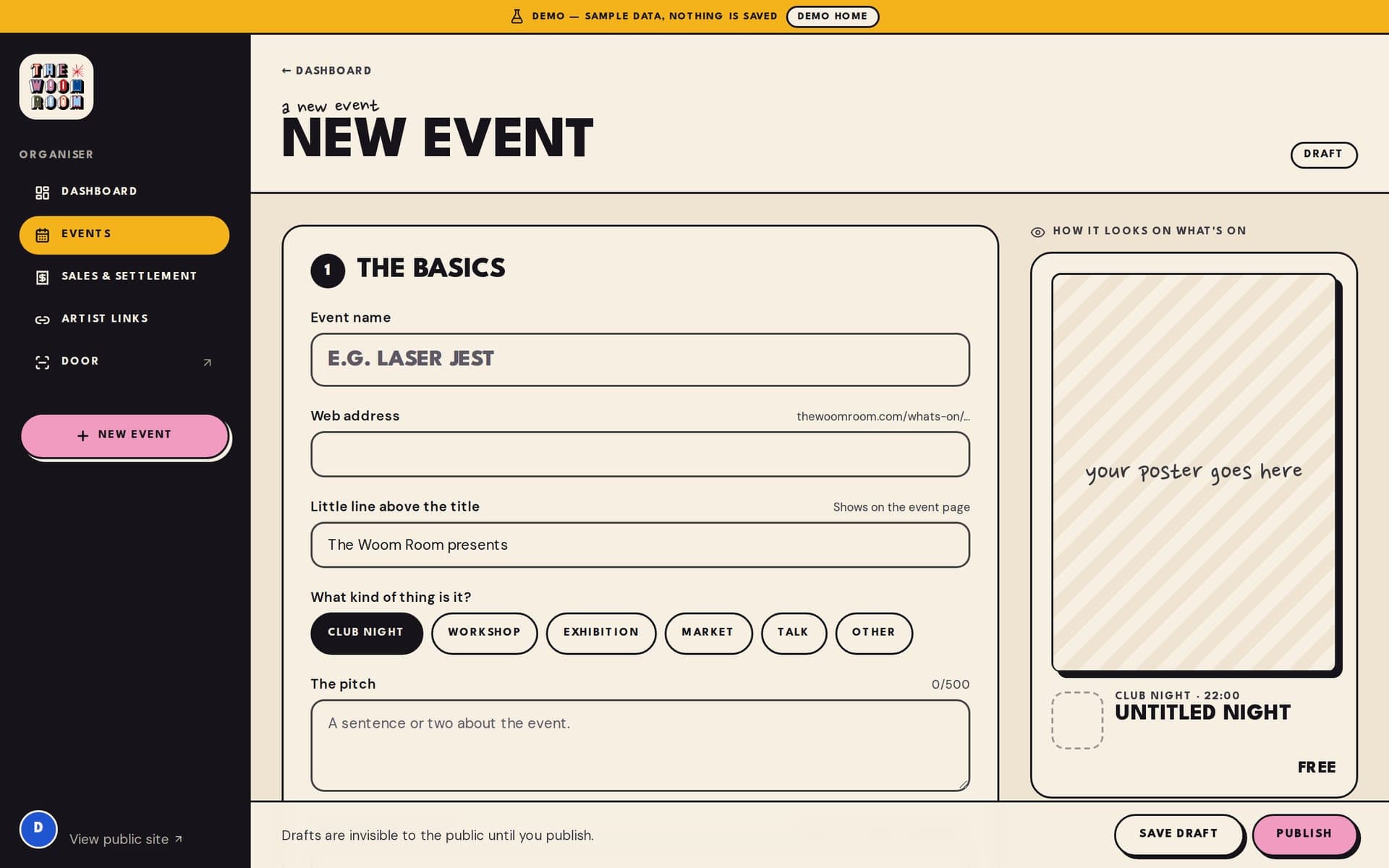
The collective runs its own events. Organisers create and publish events, set the prices and tiers, see the guest list, issue refunds, manage door devices, and follow sales and settlement. Artist links give each act its own link to share, and show which act brought in which views and sales.
- →Event editor with a live preview of how the event will look on What's On
- →Guest list, refunds, door devices, and sales and settlement in one place
- →Artist links that track views and ticket sales per act
- →Unlisted events, such as a private view, that only people with the link can book
The Rebuilt Website
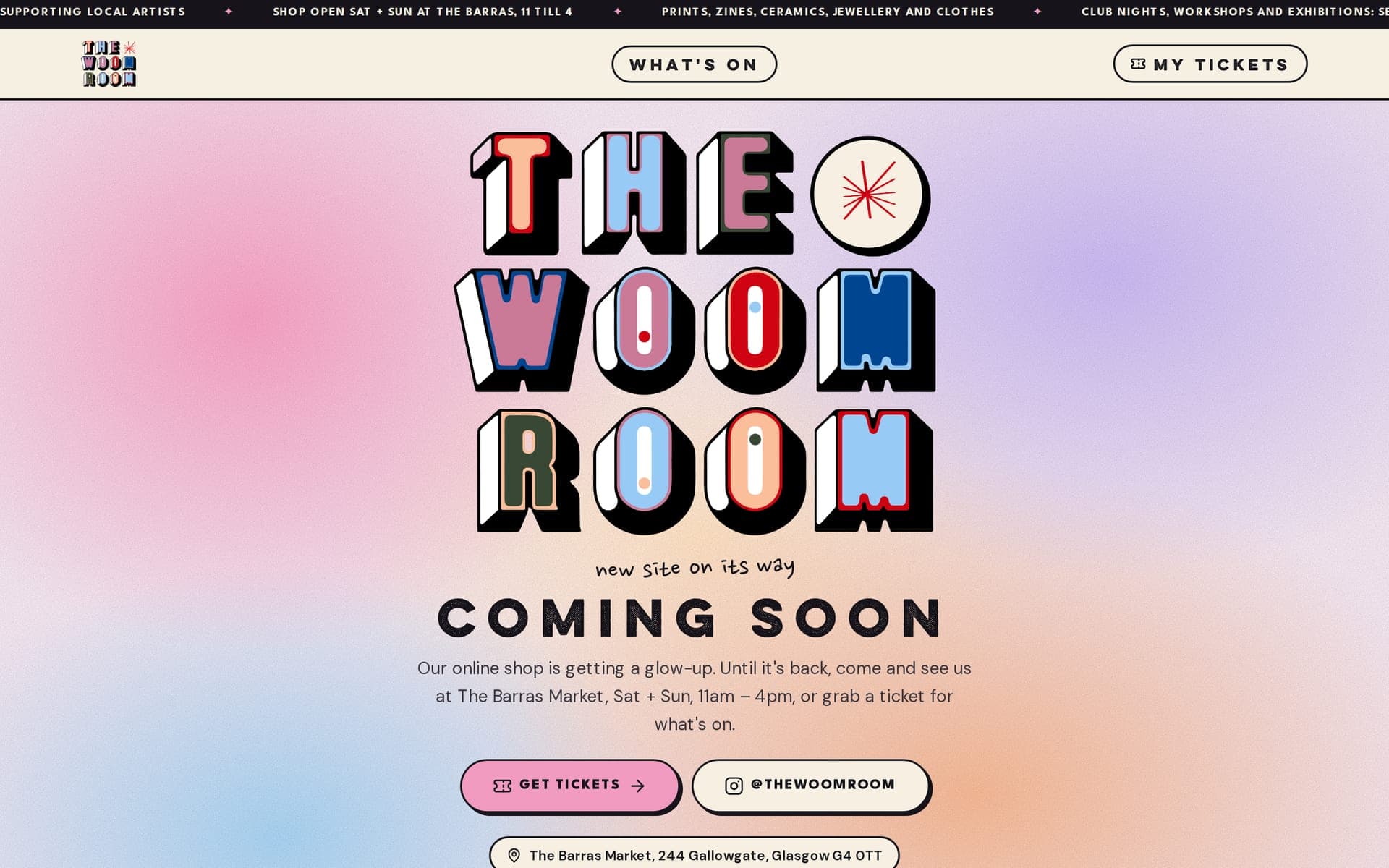
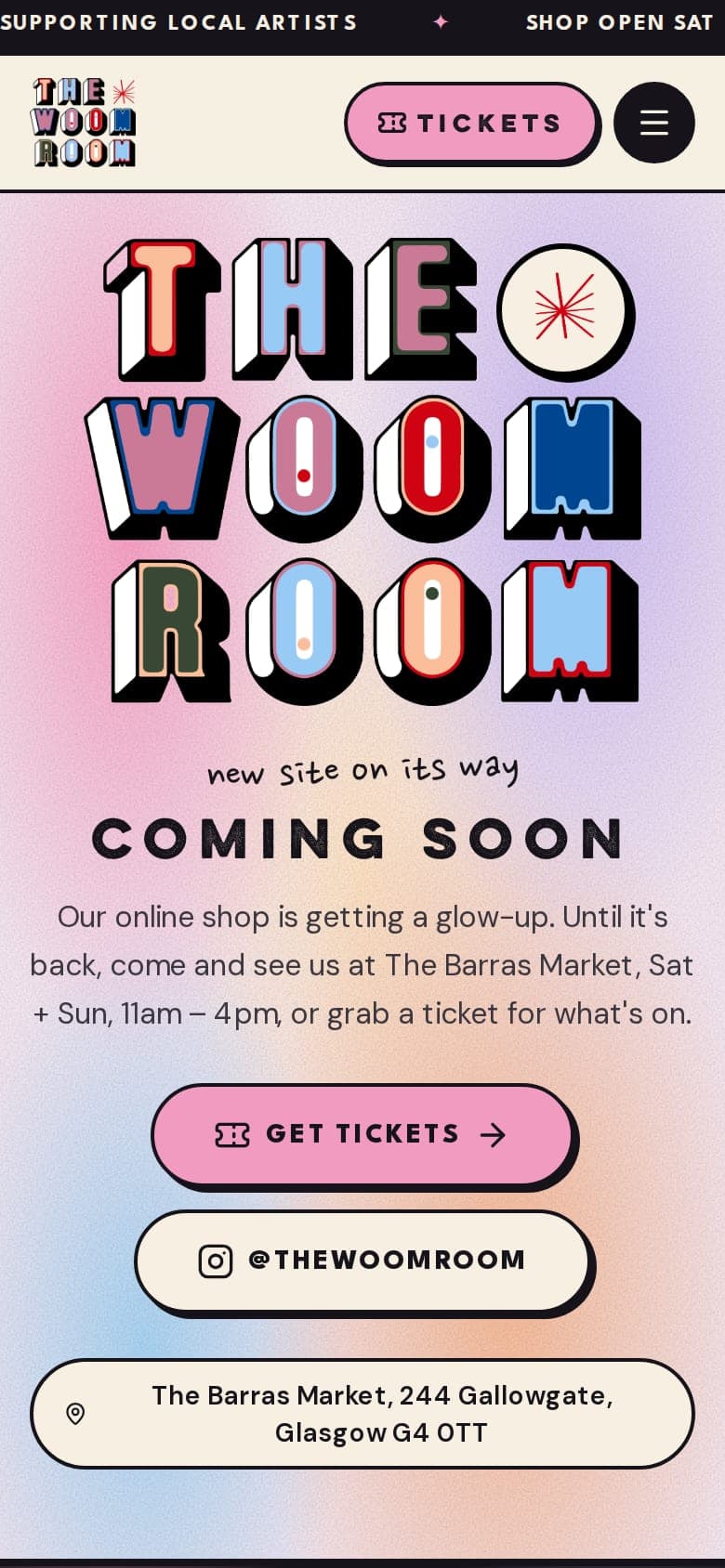
The website was rebuilt around events and the shop, with artwork and illustrations by Nänni-Pää. For now the rebuilt online shop sits behind a coming-soon page that points visitors to the stall at The Barras and to the tickets, until the client is ready to reopen it.
- →Rebuilt website with events and tickets at the front
- →Online shop held behind a coming-soon page until the client reopens it
- →Opening hours, a map and directions to the stall at The Barras
- 01Tickets sold by The Woom Room itself through its own Stripe account, with the booking fee shown on every price
- 02Event pages with tiered pricing, extras, promo codes and the full line-up of artists and performers
- 03Mobile tickets by email, with a magic link to every ticket in the buyer's name and no password to remember
- 04Tickets that can be passed on to a friend, and face-value resale the organiser can switch on per event
- 05A door scanner on staff phones, paired with a six-digit code, installable like an app and built to keep working without signal
- 06Clear door results in green, amber and red, with a live count of who is in and who is still to come
- 07Organiser tools for events, guest lists, refunds, door devices, and sales and settlement
- 08Artist links that track views and ticket sales per act, so the collective can see who brought the crowd
- 09Unlisted events, such as a private view, that only people with the link can book
- 10A public demo of the staff tools and door scanner on sample data, which anyone can try without a login
Need a web app?
If your business needs a web app like The Woom Room's, tell us about it. We reply with a fixed written quote after a short discovery call, so you know the price before any work starts.
Web app from £8,000
Prices, timelines and what is included: Web app development in Glasgow.
Studio: Unit 204b, 36-38 Washington Street, Glasgow G3 8AZ. Phone 0141 345 5841.
A Next.js rebuild of thewoomroom.com with its own ticketing built in: Stripe checkout on the client's own account, signed mobile tickets, an offline door scanner on staff phones, and organiser tools for events, artist links and face-value resale.
- Framework
- Next.js 16 with React 19 and the App Router
- Database
- PostgreSQL on Supabase for events, orders and tickets
- Styling
- Tailwind CSS 4
- Deployment
- Vercel
- Stripe
- Checkout and refunds on the client's own Stripe account, confirmed by webhook
- Resend
- Order confirmations and ticket emails
- Door
- An installable scanner app with an offline cache and an outbox for scans
- Door
- The scanner reopens from its cache when the signal drops and syncs scans later
- →TypeScript strict mode throughout
- →Unit, database and end-to-end tests over purchase, delivery, the door and the organiser tools
- →Staff sign-in with strong password rules, and access decided on the server
- →Secrets in environment variables only, never in the repository
- Next.js 16
- React 19
- TypeScript
- Tailwind CSS 4
- Supabase
- PostgreSQL
- Stripe
- Resend
- Vitest
- Playwright
- Vercel
Southside Plumbing
A bathroom-led Next.js rebuild of southsideplumbing.co.uk with a new Cobalt Block brand, a six-step bathroom planner, landing pages for paid ads, local area pages and every old URL redirected.

Have a project?
Websites, web apps and bespoke software for businesses across the UK, built in Glasgow. Tell us what you need and we will come back with a fixed written quote after a discovery call.
Glasgow GFX Studio
- Visit
- The Pentagon Business Centre
Unit 204b, 36-38 Washington Street
Glasgow G3 8AZ - Call
- 0141 345 5841
- Hours
- Mon to Fri 9:00 to 18:00
Sat 10:00 to 18:00
Sun closed - Clients
- Web and software clients across the UK, from the Washington Street studio in Glasgow.